Agentic Git: how to use AI to work with Git and GitHub (without burning tokens)
An Agentic Git guide for vibe coders and junior devs: let the AI agent create branches, commits, PRs and resolve conflicts using the git CLI (not an MCP) to save tokens.
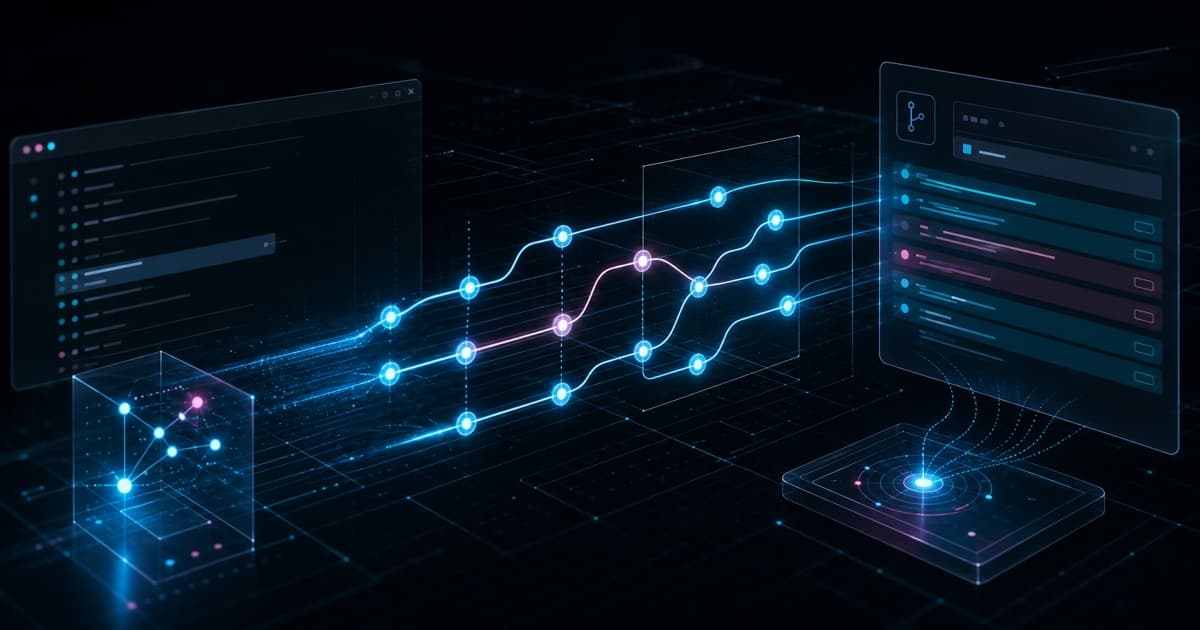
Agentic Git means using an AI agent (Claude Code, Cursor, Copilot) to do your Git and GitHub work for you: create the branch, write the commits, open the Pull Request, and resolve conflicts. You describe the intent in plain language and the agent types the commands. The golden rule: tell the agent to use the git CLI (the git and gh commands in the terminal), not a Git MCP server, because the MCP bloats the context with dozens of tool definitions and burns tokens on every request. This guide shows the full flow and how to set it up.
This post is the hands-on follow-up to Git and GitHub for beginners. There you learn the concepts (branch, commit, PR, merge); here you learn to delegate all of it to the AI without losing control.
What is Agentic Git?
Agentic Git is the pattern of letting the coding agent drive Git while you steer. Instead of memorizing commands, you say what you want:
"Create a branch for the header fix, commit this change with a clear message, and open a PR against main."
The agent turns that into git switch -c, git add, git commit -m, and gh pr create, shows you what it did, and waits for your approval. The concept does not change: the cycle is still clone, branch, commit, PR, review, merge. What changes is who types. You stop being the operator and become the reviewer.
This does not free you from understanding Git. You are the one who approves the PR and owns the change on main. Knowing what a branch and a conflict are is what lets you review the agent's work instead of accepting it blindly.
Why use the git CLI in the agent, not an MCP? (the golden tip)
This is the choice that saves the most money and most improves answer quality, and almost nobody talks about it.
An MCP (Model Context Protocol) server injects its tool definitions into the model's context on every request. A Git MCP usually exposes 20 to 40 tools (git_status, git_commit, git_push, git_log, and so on), and each one carries a JSON schema with a name, description, and parameters. That is thousands of tokens sitting in the context window the whole time, even when you are not touching Git. You pay for them on every message in the session.
The git CLI has none of that cost. The agent already has a shell tool (Bash/terminal), and git is already installed on the machine. Running git status costs only the command string plus its output (which is short). Nothing stays parked in the context between tasks.
| Criterion | Git via CLI (git + gh) | Git via MCP |
|---|---|---|
| Token cost | Low: just the command and its output | High: schemas for all tools on every request |
| Context used | Zero between tasks | Fixed for the whole session, even when idle |
| Model knowledge | Huge: LLMs are trained on millions of git examples | Depends on the wrapper and its descriptions |
| Flexibility | Full: any flag, pipe, or combination | Limited to what the MCP exposed |
| When it pays off | Git and GitHub (both have great CLIs) | Services with no good CLI or that need structured data/complex auth |
The core point: MCP is great for services that lack a good CLI. Git and GitHub have mature, complete CLIs (git and gh), and the models know them fluently. Wrapping that in an MCP only adds a layer of indirection and a token tax with nothing in return.
How to force the agent to use the CLI
Asking once is not enough. Put the rule in the agent's instruction file so it holds for the whole session (CLAUDE.md, AGENTS.md, or .cursorrules):
## Git

- Use the `git` and `gh` CLIs directly through the shell for all Git and GitHub work.
- Do not use any Git MCP. The CLI is cheaper in tokens and more flexible.
If you already have a Git MCP installed, turn it off. You will spend less and the agent will answer better, because the context window stays free for the actual code.
How do you instruct the agent for each Git task?
The trick is to describe the intent, not the command. The agent picks the syntax. A few requests and what the agent runs under the hood:
| You ask | The agent runs |
|---|---|
| "Create a branch for the login" | git switch -c feat/login |
| "What changed so far?" | git status and git diff |
| "Commit this with a good message" | git add + git commit -m "..." |
| "Push the branch and open the PR" | git push -u origin ... + gh pr create |
| "Update my branch with main" | git pull origin main |
| "Resolve the conflicts" | edits the files, git add, finishes the merge |
| "Show the last 5 commits" | git log --oneline -5 |
Ask for clear commit messages: "commit in small commits with descriptive messages" produces a better history than one giant commit named "changes".
What is the full cycle with AI, from branch to merge?
A real task flow, start to finish, driven by prompts:
-
Start from an updated base. Before anything else:
"Update main and create a new branch for task X."
The agent runs
git switch main,git pull, andgit switch -c feat/x. Starting from an updatedmainis what best prevents conflicts later. -
Work and review. You and the agent edit the code. At any point:
"Show me the diff of what changed before committing."
-
Commit with intent. Instead of leaving it all to the end:
"Commit this part with a clear message, then we continue."
-
Open the PR. With the branch ready:
"Push the branch and open a PR against main with a title and description explaining what changes and why."
The agent uses
gh pr createand writes the PR body itself, based on the diff. -
Adjust after review. When the reviewer requests changes:
"Apply the review feedback, commit, and push to the same branch."
The PR updates itself. You never open a new PR for this.
The cycle is identical to the manual one. The difference is you spend your time thinking about the change, not remembering syntax.
How do you open the Pull Request through the agent?
The agent uses the GitHub CLI (gh), so it does not even open the browser. A request like:
"Open a PR against main. In the body, explain what changes, why, and how to test."
becomes something like:
gh pr create --base main \
  --title "Add validation to the login form" \
  --body "Validates email and password on the client before submit. To test: submit the empty form and check the error messages."
If gh is not authenticated, the agent will tell you. Run gh auth login once and you never touch it again. A good PR answers three questions: what changes, why it changes, and how to test it. Ask for that explicitly and the description comes out ready.
How do you resolve conflicts with the agent?
Conflicts scare beginners, but this is where the agent helps the most. When Git stops with CONFLICT (content): Merge conflict, just ask:
"There is a merge conflict. Analyze both sides, resolve it keeping both intents when it makes sense, and explain what you decided."
The agent reads the markers (<<<<<<<, =======, >>>>>>>), understands the code on both sides, and proposes a resolution. For simple conflicts it resolves on its own. For ambiguous ones, it explains the trade-off and asks for your decision, which is exactly what should happen: the call on which logic stays is yours, not the agent's.
If you want to bail on the merge midway, ask it to "abort the merge" and it runs git merge --abort, putting everything back to the previous state.
Which agentic tools make this point-and-click?
So far you drove everything by typing prompts in the terminal. You can go one level up: agentic tools turn the Git flow into point-and-click, and they let you run several agents at once, each on its own branch. It helps to separate two layers.
The agents are the engine. Claude Code and Codex are the agents that actually write the code and run git and gh in the terminal. They are the ones that execute the golden tip of this post.
The orchestrators are the cockpit. Conductor and Orca are desktop apps that run those agents on top of Git, each task in an isolated git worktree (its own branch, files, and terminal), and turn the cycle into a visual interface. What becomes a click in them:
- One branch per task, isolated. Each agent works in a separate worktree without stepping on the others. You run several tasks in parallel and compare the solutions side by side.
- Visual diff review. A built-in diff viewer: you read and comment on the change before merging, without leaving the tool.
- Open the PR and merge with a click. Creating the Pull Request, seeing the checks (tests, lint, build), and merging all become buttons.
- Archive the workspace. After the merge, the task is closed and the worktree is cleaned up.
Docs: Conductor and Orca. In both, the agent underneath still uses git and gh in the shell, so the golden tip (CLI, not MCP) still holds and you keep saving tokens. The foundation is git worktree for parallel workflows: the mechanism that gives each agent an isolated copy of the repository.
Why did git worktrees get popular with AI agents?
Worktrees are not a new Git feature, but their use took off now for a simple reason: the bottleneck of development moved. Before, writing code was the slow part and each dev handled one task at a time, so a single working directory was enough. With AI agents writing code fast and working on their own for several minutes, one person can now supervise several agents at once. The bottleneck stopped being typing and became reviewing.
That exposes the limit of traditional Git: a normal git checkout has a single working directory, so you can only be on one branch at a time. If two agents touch the same files on the same branch, they collide. The git worktree solves this by allowing several working directories for the same repository, each on its own branch, sharing the same history (.git). Each agent gets an isolated space, with its own files, branch, and terminal.
The gains that make it worth it:
- Real parallelism, no collisions. Each agent has its own filesystem. An agent refactoring never touches the files of another agent fixing a bug.
- Zero context-switching cost. No more
git stashandgit switchdance. Each task keeps its own state: open files, a running dev server, a test mid-run. - Compare solutions. Run the same task with two agents (or two models) in two worktrees, compare the diffs, and keep the best one. Choosing between attempts got cheap.
- Instant and cheap to create. Worktrees share the same Git object store, so creating one is nearly instant and takes little disk, unlike cloning the whole repo. Creating and discarding one per task is trivial.
- Isolated environments. Each worktree runs its own dev server on its own port and its own test suite, without clashing with the others.
- Contained blast radius. An agent that breaks something breaks only its own worktree.
mainand the other tasks stay clean.
This is why the orchestrators call each task a workspace: underneath it is a worktree wrapped with an agent session, a terminal, and a browser tab. An old Git concept became the unit of work in the age of agents.
What do you still need to understand (even when you delegate everything)?
Delegating the typing is not delegating the responsibility. Three things stay yours:
- Review the diff before the merge. Read what the agent changed. "Show me the diff" is the most important command in Agentic Git. You approve, you own it.
- Never commit straight to
mainorstaging. Every change goes in through a PR, even with AI. That guarantees review, automation (tests, lint, build), and easy revert. Always ask for a branch; never let the agent commit tomain. - Understand the concept, not the syntax. Knowing what a branch, a PR, and a conflict are is what lets you review the agent's work. Without that, you accept blindly, and then the AI becomes a risk instead of a lever.
What are the golden rules of Agentic Git?
- Use the git CLI, not the MCP. It saves tokens and improves answers. Put the rule in the agent's instruction file.
- Describe the intent, not the command. "Create a branch and open the PR" instead of trying to recall the syntax.
- Always start from an updated
main. It prevents most conflicts. - Ask for small commits and clear messages. A clean history is a useful history.
- Always review the diff before the merge. You own the change.
- Never commit straight to
main. Every change through a PR, with or without AI.
Summary: Agentic Git is letting the AI agent operate Git and GitHub (branch, commit, PR, conflict) while you steer in plain language and review the result. The golden tip is to tell the agent to use the git CLI (git and gh) instead of a Git MCP: the MCP injects dozens of tool schemas into the context and burns tokens on every request, while the CLI is nearly free and the models know it cold. Pin that rule in CLAUDE.md/AGENTS.md, describe the intent instead of the command, always start from an updated main, ask for small commits, and above all, review the diff before the merge. Tools like Conductor and Orca turn this cycle into clicks and run several agents in parallel, each on its own worktree, but underneath they still use the CLI. You delegate the typing, not the responsibility.
Written by AI, reviewed by Thiago Marinho
July 31, 2026 · Brazil