IndexedDB vs localStorage: where to store data in an offline-first app
IndexedDB vs localStorage in offline-first apps: see when to use Dexie, where localStorage fits, and why operational data belongs in the app's localDB.
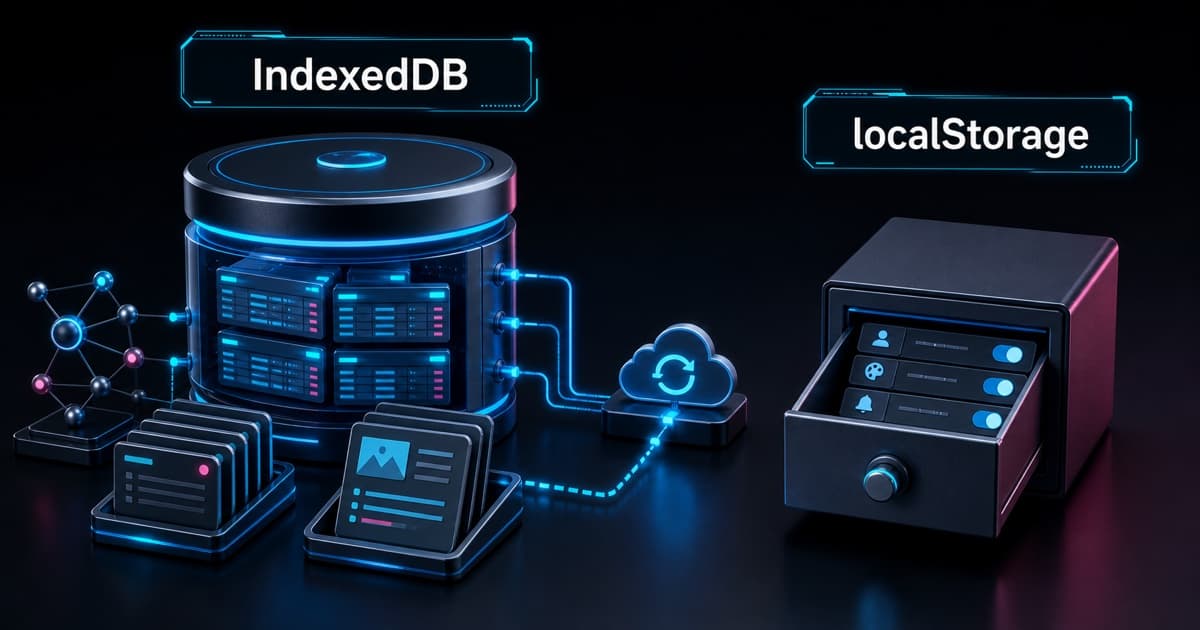
IndexedDB is the right storage layer for structured, durable, operational data in an offline-first app. localStorage is useful for small preferences, but it is too fragile for sessions, drafts, sync queues, relational caches, pending reports, or photos.
In an offline-first app, the practical rule is simple: if the data must survive offline and take part in the operational flow, it goes to IndexedDB through localDB. localStorage stays reserved for small, non-critical flags.
What changes in practice between IndexedDB and localStorage?
IndexedDB is a local browser database. It stores structured objects, supports indexes, transactions, and asynchronous operations. That fits data that belongs to the product flow: local session state, drafts, sync queues, cached registries, pending reports, and attachments that can grow.
localStorage is a simple string key/value API. It is synchronous, has no structured queries, does not model lists well, has no transactions, and blocks the main thread while reading or writing. That is fine for a tiny preference. It is not fine for the local database of an operational app.
| Criterion | IndexedDB with Dexie | localStorage |
|---|---|---|
| Model | Objects, tables, indexes, and transactions | String key/value |
| Execution | Asynchronous | Synchronous |
| Volume | Good for more data | Good for a few bytes or a few KB |
| Querying | Index and collection queries | Manual key reads |
| Healthy use | App offline flow | Small preferences |
| Main risk | Modeling and migrations need care | UI blocking, fragile serialization, and too much scope |
Why use Dexie on top of IndexedDB?
Dexie is a more ergonomic layer on top of IndexedDB. Raw IndexedDB is powerful, but verbose. Dexie gives the app a simpler API for schema versions, collection queries, indexes, and local database modeling.
In an offline-first app, this matters because offline support is not visual polish. The app must remain useful when the connection drops. The user may create drafts, register reports, keep supporting data cached, and sync everything later with the backend.
A healthy model separates data by role:
| Local data | Where to store it | Why |
|---|---|---|
| Report drafts | IndexedDB through localDB | They are structured, editable, and must survive offline |
| Sync queue | IndexedDB through localDB | It needs status, attempts, order, and payload |
| Registry cache | IndexedDB through localDB | It needs lists, indexes, and incremental updates |
| Pending reports | IndexedDB through localDB | They belong to the operational flow |
| Temporary photos or base64 | IndexedDB through localDB | They can grow and do not fit key/value well |
| Theme or simple flag | localStorage | Small, non-critical, and easy to rebuild |
When does localStorage still make sense?
localStorage makes sense when the data is small, non-critical, and easy to recreate. It is good for a simple flag, the last selected theme, a UI toggle, a local preference, or a tiny state value that does not break the flow if it disappears.
Use localStorage when all of these statements are true:
- The data naturally fits in a string.
- The data does not need querying, indexing, sorting, or filtering.
- The data does not take part in offline sync.
- The data can be deleted without losing a user operation.
- Writes are rare and not batched.
Healthy examples:
localStorage.setItem("theme", "dark");
localStorage.setItem("hasSeenInstallPrompt", "true");
Even then, keep the scope small. Once it becomes a list, cache, queue, or document, it is no longer a preference. It is application data.
What should not go into localStorage?
Operational data should not go into localStorage. Size is not the only issue. The problem is the mix of manual strings, no transactions, synchronous execution, and a tendency to grow without a model.
In an operational app, I would avoid localStorage for:
- Session or token.
- Reports.
- Sync queue.
- Drafts.
- Registry cache.
- Photos, base64, or attachments.
- Any data that needs status, retry, or reconciliation.
Session and token deserve separate attention. localStorage is not a vault. With Cross-Site Scripting (XSS), malicious script running on the page can read what is stored there. Authentication storage should be designed with the backend and the product threat model, not placed next to UI preferences.
How should you decide where each data type goes?
Ask this: does the data take part in the offline operational flow?
If yes, it belongs in localDB on IndexedDB. If no, ask whether it is small, simple, and non-critical. Only then does localStorage fit.
A practical checklist:
| Question | If yes |
|---|---|
| Must it survive without internet? | IndexedDB |
| Must it sync later? | IndexedDB |
Does it have status like pending, synced, or failed? | IndexedDB |
| Does it need retry, ordering, or dedupe? | IndexedDB |
| Is it a list, map, report, or large object? | IndexedDB |
| Is it a small disposable preference? | localStorage |
This rule also avoids a common mistake: starting with localStorage because it feels faster, then trying to turn a bag of strings into a database. The cost arrives later as migration work, defensive parsing, concurrency bugs, and UI stalls.
How does this rule show up in code?
localDB should be the entry point for any relevant local data in the app. The rest of the code does not need to know the IndexedDB details. It needs a clear local API to create drafts, enqueue sync, read cache, and mark an operation as synced.
A simple shape:
// localDB owns offline operational data.
await localDB.drafts.put(reportDraft);
await localDB.syncQueue.add({
  id: operationId,
  type: "report:create",
  payload,
  status: "pending",
  createdAt: new Date().toISOString(),
});

// localStorage only owns tiny, non-critical UI preferences.
localStorage.setItem("theme", "dark");
The intent becomes explicit. Business flow data goes to the local database. Small preferences stay in key/value storage.
How should you organize IndexedDB by environment?
IndexedDB by environment prevents test, staging, production, and local dev data from mixing inside the same browser. Different domains already get separate storage by origin, but the app should still name the local database with clear intent.
A simple rule is to put the environment in the database name:
const indexedDBNameByEnv = {
  production: "app-prod-localdb",
  staging: "app-staging-localdb",
  test: "app-test-localdb",
  development: "app-dev-localdb",
} as const;

const localDB = new Dexie(indexedDBNameByEnv[appEnv]);
This protects three things:
- Automated tests can clear
app-test-localdbwithout touching real data. - Staging can test migrations and schemas before production.
- Local dev can break, reset, and recreate data without contaminating other environments.
For end-to-end tests, prefer an execution suffix when the runner works in parallel:
const localDB = new Dexie(`app-test-localdb-${testRunId}`);The exact name is not the point. The point is that each environment gets its own IndexedDB database, cleanup policy, and migration path.
What is the healthy rule for the project?
IndexedDB/Dexie is the app's local database. It stores what must continue to exist offline, be queried, versioned, synced, or recovered later.
localStorage is a convenience detail. It stores small, non-critical preferences such as theme, a simple flag, or a local toggle. Nothing there should be required to complete a user operation.
Summary:
| Use | For |
|---|---|
IndexedDB through localDB | Non-sensitive local session state, drafts, relational caches, sync queues, pending reports, attachments, and real offline data |
| localStorage | Small preferences, simple flags, last theme, and non-critical toggles |
| Do not use localStorage | Session/token, reports, sync queue, drafts, registry cache, or photos |
The mental boundary is this: if losing the data breaks the user's work, it is not a preference. It is operational state. In an offline-first app, operational state goes to IndexedDB through localDB, separated by environment for production, staging, tests, and local dev.
Written by AI, reviewed by Thiago Marinho
August 6, 2026 · Brazil