MCP vs CLI: what each is, when to use them and when not to
MCP (Model Context Protocol) standardizes how AI apps discover and use external tools. But not every agent needs MCP — a plain CLI often wins on cost and speed. I walk through what MCP is, the client → server flow, real use cases, when it's overkill, and why CLI beats MCP for popular tooling.
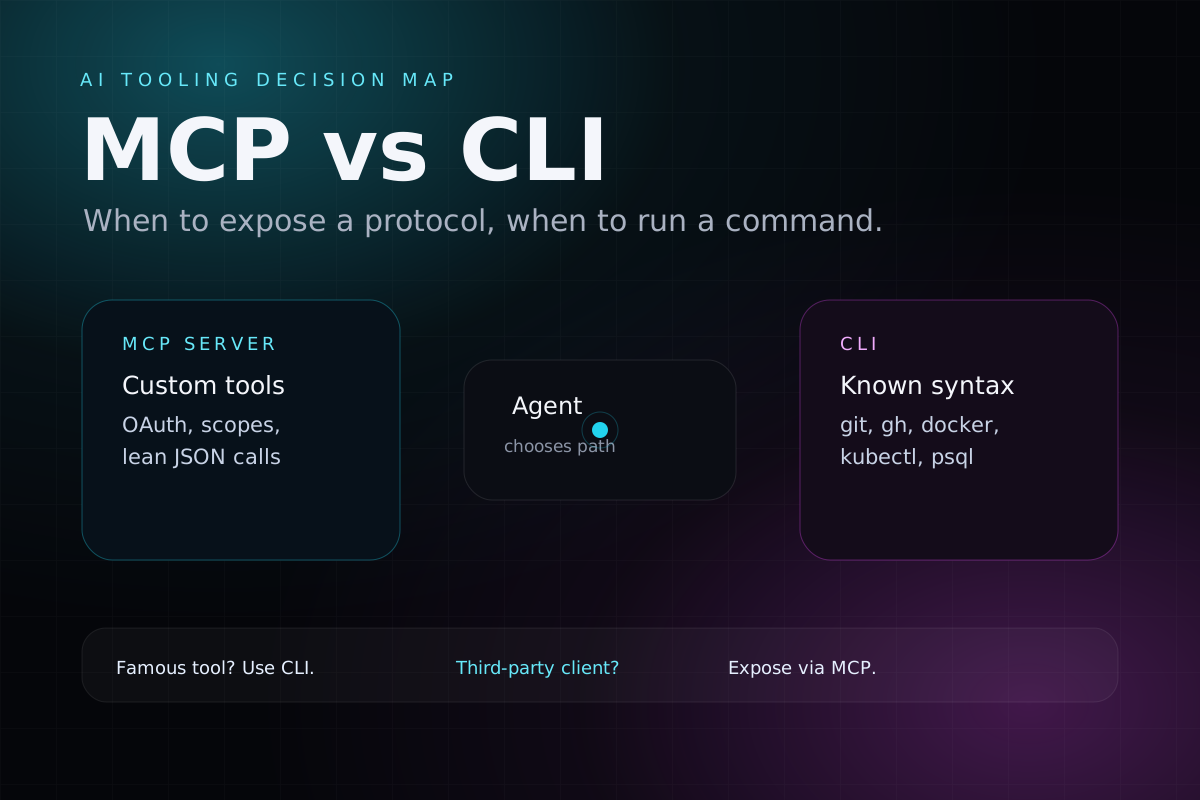
There's a recurring confusion in AI-agent conversations: people treat MCP as a synonym for "an agent that uses tools," when MCP is really just one of the ways to hand tools to a model — and not always the best one.
This post is a practical overview: what MCP is, how the client → server flow works, when it actually pays off, when CLI wins, and why plain function calling via SDK is the right answer for most embedded chats — no extra protocol required.
The one-line definition
MCP is an open protocol for AI apps to discover and call external tools in a standardized way — most useful when client and server have different owners.
Everything below is technical detail on top of that sentence.
What MCP is
MCP (Model Context Protocol) is an open standard created by Anthropic (late 2024) to connect AI models to tools, data, and external systems.
The official analogy:
MCP is the USB-C port for AI. Before, every integration had a different cable. Now any compatible model talks to any compatible tool through the same protocol.
Instead of N models × M tools custom integrations, you have a single protocol both sides speak.
The problem MCP solves
A standalone LLM can only generate text from what it receives in its context. It doesn't reach into your database, your files, your calendar, the internet. Before MCP, every integration between a model and a tool was hand-rolled — different shape for each combination.
MCP standardizes that bridge.
Architecture — who talks to whom
Architecture map
Host
Model / AI app
Claude Desktop, Claude Code, Cursor, ChatGPT, or your embedded product.
Consumer side
MCP client
Discovers tools, sends tool schemas to the model, and routes calls.
Provider side
MCP server
Exposes capabilities through JSON-RPC over stdio or HTTP/SSE.
Backing system
Data / tool
Postgres, GitHub, files, Slack, internal APIs, or SaaS actions.
- Host / Client: the AI application. It speaks MCP on the consumer side (Claude Desktop, Cursor, your embedded app).
- MCP Server: a program that exposes the capabilities of an external system following the protocol. Official ones exist for GitHub, Postgres, Google Drive, filesystem, Playwright. You can write your own.
Communication uses JSON-RPC and runs over stdio (local) or HTTP/SSE (remote).
The three primitives of an MCP Server
| Primitive | What it is | Example |
|---|---|---|
| Tools | Actions the model can execute | create_issue, run_query, send_email |
| Resources | Data the model can read | files, DB rows, documents |
| Prompts | Reusable prompt templates | "summarize this PR following this format" |
In practice, tools dominate.
The full flow: from user to database and back
It helps to walk through what happens when someone asks a question to an agent wired to an MCP server:
Runtime flow
User asks a business question
"how many sign-ups did my event get?"
Client sends prompt + available tools
tools = [list_signups, create_event, gen_link, refund]
LLM chooses a tool call
list_signups(eventId: "abc")
Client calls the MCP server
{"method":"tools/call","params":{"name":"list_signups"}}
MCP server executes normal backend work
tRPC, SQL, internal API, OAuth, RBAC, then { total: 22 }
Client feeds result back to the LLM
tool result: { total: 22 }
LLM writes the final answer
"Your event has 22 paid sign-ups so far."
Answer is delivered
The server never thinks; the client pays for inference.
Two details people rarely say out loud:
- The MCP server burns no tokens. It's a plain data server. The client burns tokens, at two points: shipping tools+prompt to the model, and feeding the tool result back as input.
- Fat returns make everything expensive. If a tool returns 500 rows in JSON, that lands as input on the next model turn. Aggregate on the server (
SELECT COUNT(*)) and return lean.
How a client "connects" to your MCP server
Suppose you exposed an MCP server for your product (say, an events SaaS). An end user doesn't "open an MCP connection" — they use an AI app, and that app is the client. The real paths:
| Client (host) | How the user adds your MCP |
|---|---|
| Claude Desktop / Claude.ai | Settings → Connectors → "Add custom connector" → paste the URL |
| ChatGPT (with MCP/connector support) | Add a connector pointing to the same URL |
| Cursor / VS Code / Claude Code | Edit .mcp.json with the server URL |
| Embedded app inside your own product | You're both client and server — you don't even need to expose MCP publicly |
The end-user flow is literally:
- Paste your MCP URL.
- Sign in → an OAuth screen appears ("Allow Claude to access your account?").
- Click "Allow."
- Chat in natural language — the client discovers tools, the model picks which to call.
The protocol is the standardized port. OAuth + authorization on your side is the lock. Without serious auth, anyone can connect and see another tenant's data.
Real use cases (consuming and exposing)
There are two sides:
Consuming MCP
When you want your agent to gain access to an external system:
- Postgres MCP — during dev, the agent inspects schema and data to help you write queries (ideally pointed at dev, never production with write access).
- GitHub MCP — open/review PRs, read issues, comment without leaving the editor.
- Playwright MCP — drive a real browser to validate flows (agent-driven E2E).
- MCPs for integrations you use (Slack, Linear, Sentry, Google Drive) — the agent arrives at debugging sessions with context already loaded.
Mental rule:
Every time, to help you, I'd have to copy and paste data from an external system (query output, billing status, email log, issue body) → that system is a candidate to become an MCP.
Exposing MCP (your product as a provider)
If you ship a SaaS, your product can provide an MCP server for customers to use inside their own Claude / ChatGPT. Instead of "there's a chat inside my app," you become part of the agent they already use.
Example mapping:
| MCP Primitive | In an events SaaS would be... |
|---|---|
| Tools (actions) | create_event, list_signups, gen_link, check_in, refund |
| Resources (read) | event data, attendee list, sales report, payment status |
| Prompts (templates) | "generate event sales recap", "draft reminder email to signed-up attendees" |
The major technical win: if your API already speaks tRPC / REST with Zod (or any validated schema), the MCP server is a thin shell mapping tool → existing procedure. You inherit auth, validation, and business rules.
server.tool(
  "list_signups",
  { eventId: z.string(), status: z.enum(["paid","pending"]).optional() },
  async ({ eventId, status }, ctx) => {
    const data = await trpcCaller.signup.list({ eventId, status });
    return { content: [{ type: "text", text: JSON.stringify(data) }] };
  }
);
When NOT to use MCP
This is where many teams trip. Three scenarios where MCP is overhead:
1. You control both sides (client and server)
If the agent runs inside your own product (a chat panel in your dashboard), you own client and server. MCP becomes pure cost: use the provider SDK + function calling directly.
// Anthropic SDK — tools defined in code, no MCP in the middle
const tools = [{
  name: "list_signups",
  description: "List sign-ups for an event",
  input_schema: { /* zod → json schema */ }
}];

const msg = await anthropic.messages.create({ model, tools, messages });
// if msg requests the tool, YOU call your tRPC and return the result
Simpler, fewer layers, same outcome.
2. There's no LLM in the loop
MCP was designed for agents. Tools carry natural-language descriptions meant for a model to read. Without AI orchestrating, it's an RPC with unnecessary overhead — your normal REST/tRPC API does better.
3. The tool already has a CLI the model knows
This is where the CLI comparison kicks in — and gets the next whole section.
MCP vs CLI: why CLI often wins
There's a hidden cost to MCP that rarely makes it into talks: the permanent overhead of declaring tools in context.
Every tool from an MCP server injects name + description + JSON schema into the prompt on every request, even if unused. A "rich" MCP server can have 20–40 tools → thousands of fixed input tokens just to keep the tools available. Connect 4–5 MCPs and you've burned tens of thousands of tokens before the model reads a line of your code.
CLI sidesteps this:
- One single tool: "run this bash command." Tiny schema.
- The model already knows
git,gh,kubectl,psql,docker,awsfrom training. The "schema" forgh's 200 subcommands is already baked into the weights — for free.
MCP pays to declare tools. CLI rides on tools the model already knows.
Trade-off table
| Criterion | CLI | MCP / structured tool |
|---|---|---|
| Availability token overhead | low ✅ | high ❌ |
| Model already knows the syntax? | yes, for famous tools ✅ | needs the description ❌ |
| Output | raw text, verbose, sometimes huge ❌ | lean, predictable JSON ✅ |
| Security / scope | "run any bash" is powerful and dangerous ❌ | the tool does only what you defined ✅ |
| Proprietary tool (your SaaS) | the model doesn't know it, would need custom CLI ❌ | MCP/SDK shines ✅ |
| Parsing reliability | model has to parse free text ❌ | structured data ✅ |
Notice the link to the earlier point: CLI saves on declaration, but can explode on return. A gh pr list with no filter dumps a giant text blob that comes back as input. The real savings depend on you using the CLI with --json, --limit, grep, etc.
Anthropic itself wrote about this (essays on code execution with MCP and the "too many MCP tools eat the context window" problem). The direction is clear: instead of exposing 50 MCP tools, give the agent an environment where it writes code and runs CLI when that fits.
Rule of thumb
Rule of thumb
Yes
Use the CLI
The model already knows git, gh, docker, kubectl, psql, and similar tools. No schema overhead.
No
Check ownership
If you own the client, use SDK + function calling. If the client is third-party, expose an MCP server so they can discover you.
Is there an analogy with RAG?
Yes, and a useful one for nailing down the concept.
In both:
- the LLM doesn't know the data;
- the LLM receives data from outside and just writes;
- the knowledge lives in your system (database, files, API).
But three important differences:
| Axis | RAG | MCP |
|---|---|---|
| How it fetches | semantic / embedding similarity (fuzzy) | structured call with exact parameters (precise) |
| Who decides | mechanical — every question triggers retrieval before gen | agentic — the model decides if, which, and how to call |
| Read vs write | read-only | reads and writes (refund, create_event) |
When an MCP tool only SELECTs from the DB and returns, it's literally a RAG with structured retrieval instead of vector retrieval. When it does INSERT/UPDATE or calls external integrations, it goes past RAG and becomes automation / an agent.
RAG is "G" with an automatic, semantic "R" — always read-only. MCP is "G" with tools the model actively chooses — to read or to act.
If you want the deep dive on R-A-G, I wrote a dense end-to-end post on RAG.
Cost: who pays for MCP?
Common question, important answer: the MCP server burns no LLM tokens. The client is what talks to the model.
| Item | Who pays |
|---|---|
| LLM tokens (inference) | Whoever runs the client — the end user (their Claude Pro) or you |
| Running the MCP server (CPU, RAM) | You — just normal server infra |
| Database / backing API | You — always |
The two common scenarios:
- Customer's Claude/ChatGPT connects to your MCP → the customer pays for their own AI. You just keep a small API server running. Financially, this is the best case for an MCP provider.
- Chat embedded in your product (SDK) → you call the Claude API with your own key. Tokens come out of your pocket. Usually folded into the customer's plan price.
Mental rule:
Tokens are paid by whoever runs the model (the client). The MCP server is just a data server — it doesn't think, doesn't burn tokens.
Recap — the one-page map
One-page map
No
Use REST/tRPC
No model orchestration means MCP is just a heavier RPC.
You own both sides
SDK + function calling
Define tools in code, call your own backend directly, avoid the protocol layer.
Known external tool
Use CLI too
For famous tools, the syntax is already in the model's weights. Keep outputs filtered.
Third-party client
Expose MCP
OAuth, scoping, minimal tools, lean JSON. This is where the protocol earns its keep.
Closing
MCP isn't "the right way" to give tools to an AI — it's one of three ways, alongside plain function calling (SDK) and CLI. Each one fits a different scenario:
- SDK + function calling: you own both sides. Simpler, no overhead. The right fit for almost every embedded chat.
- CLI: the model already knows the tool (git, gh, docker…). Almost free in tokens, brutally effective.
- MCP: you're a provider (a SaaS exposing capabilities to third-party AIs) or a consumer of something with no known CLI.
MCP is the USB-C port — handy when you need any cable to plug into your product. But if you already have the cable in your hand and the device speaks the old standard, don't swap everything just because USB-C is in fashion.
The deciding question, always: does the model already know this tool? Do I own both sides? Answer that and the path appears.
Written by AI, reviewed by Thiago Marinho
June 1, 2026 · Brazil